> For the complete documentation index, see [llms.txt](https://help.glpi-project.org/llms.txt). Markdown versions of documentation pages are available by appending `.md` to page URLs; this page is available as [Markdown](https://help.glpi-project.org/doc-plugins/fr/plugin-glpi-network/renamestrings.md).
# Renamer
(anciennement "Renommer les chaînes GLPI" ou "Surcharge locale")
## Prérequis (auto-hébergé)
| Version GLPI | PHP minimum | Recommandé |
| ------------ | ----------- | ---------- |
| 10.0.x | 8.1 | 8.2 |
| 11.0.x | 8.2 | 8.4 |
{% hint style="info" %}
Une souscription [GLPI Network BASIC](https://services.glpi-network.com/#offers) (ou supérieur) est requis. Ce plugin est également disponible pour toutes les instances [GLPI Network Cloud](https://glpi-network.cloud).
{% endhint %}
## Télécharger le plugin
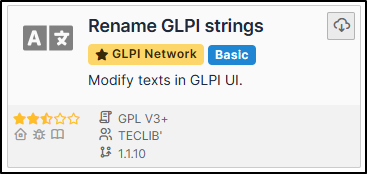
* Allez dans **Marketplace**. Téléchargez et installez le plugin **Rename GLPI strings**
## Créer une surcharge
* Allez dans **Setup > Rename GLPI strings**
* Cliquez sur **Add** et sélectionnez la langue appropriée.
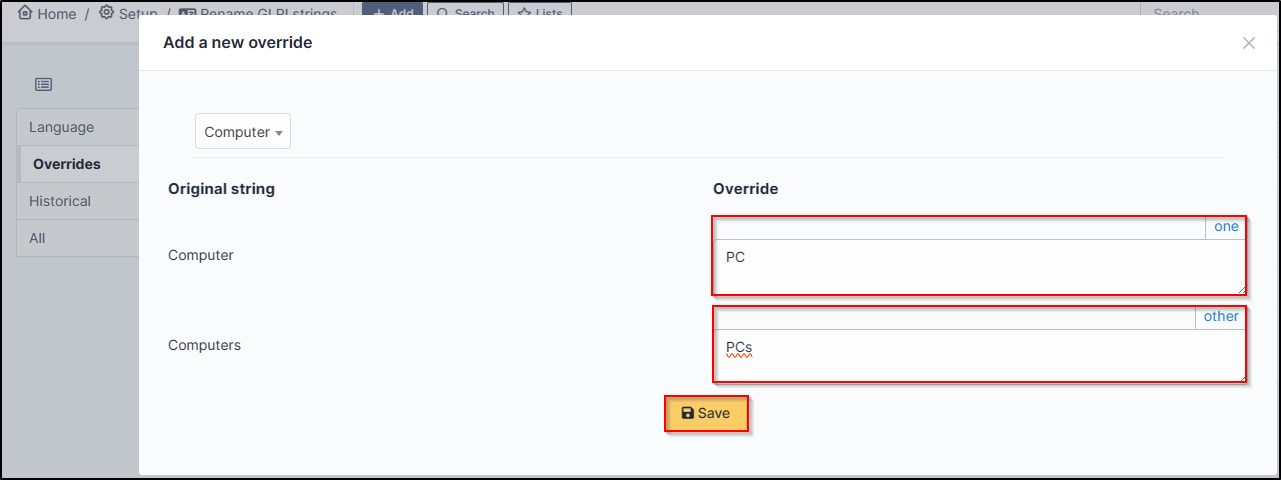
* Dans l'onglet **Override**, cliquez sur **New override**.
* Sélectionnez la valeur que vous souhaitez modifier dans la liste déroulante. Vous pouvez rechercher directement.
Nous allons changer la valeur **Computer** en **PC**
* Sélectionnez computer et entrez le singulier et le pluriel du mot à modifier dans les champs correspondants.
* Cliquez sur **Save**
## Afficher le changement
Il est possible que le changement ne s'affiche pas immédiatement. Pour qu'il apparaisse, déconnectez-vous puis reconnectez-vous.
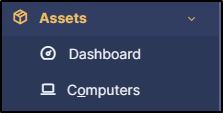
Avant :
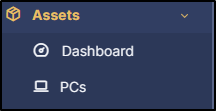
Après :
***
## FAQ
Si vous avez des questions concernant l'utilisation du plugin, n'hésitez pas à consulter notre FAQ
Aller à la FAQ
---
# Agent Instructions
This documentation is published with GitBook. GitBook is the documentation platform designed so that both humans and AI agents can read, navigate, and reason over technical content effectively. Learn more at gitbook.com.
## Querying This Documentation
If you need additional information that is not directly available in this page, you can query the documentation dynamically by asking a question.
Perform an HTTP GET request on the current page URL with the `ask` query parameter, and the optional `goal` query parameter:
```
GET https://help.glpi-project.org/doc-plugins/fr/plugin-glpi-network/renamestrings.md?ask=&goal=
```
`ask` is the immediate question: it should be specific, self-contained, and written in natural language.
`goal` is optional and describes the broader end goal you are ultimately trying to accomplish on behalf of the user. GitBook uses it to tailor the answer towards what is most useful for that goal.
The response will contain a direct answer to the question and relevant excerpts and sources from the documentation.
Use this mechanism when the answer is not explicitly present in the current page, you need clarification or additional context, or you want to retrieve related documentation sections.