> For the complete documentation index, see [llms.txt](https://help.glpi-project.org/llms.txt). Markdown versions of documentation pages are available by appending `.md` to page URLs; this page is available as [Markdown](https://help.glpi-project.org/glpi-12/fr/welcome-to-glpi-12/helpdesk-portal.md).
# Portail Helpdesk
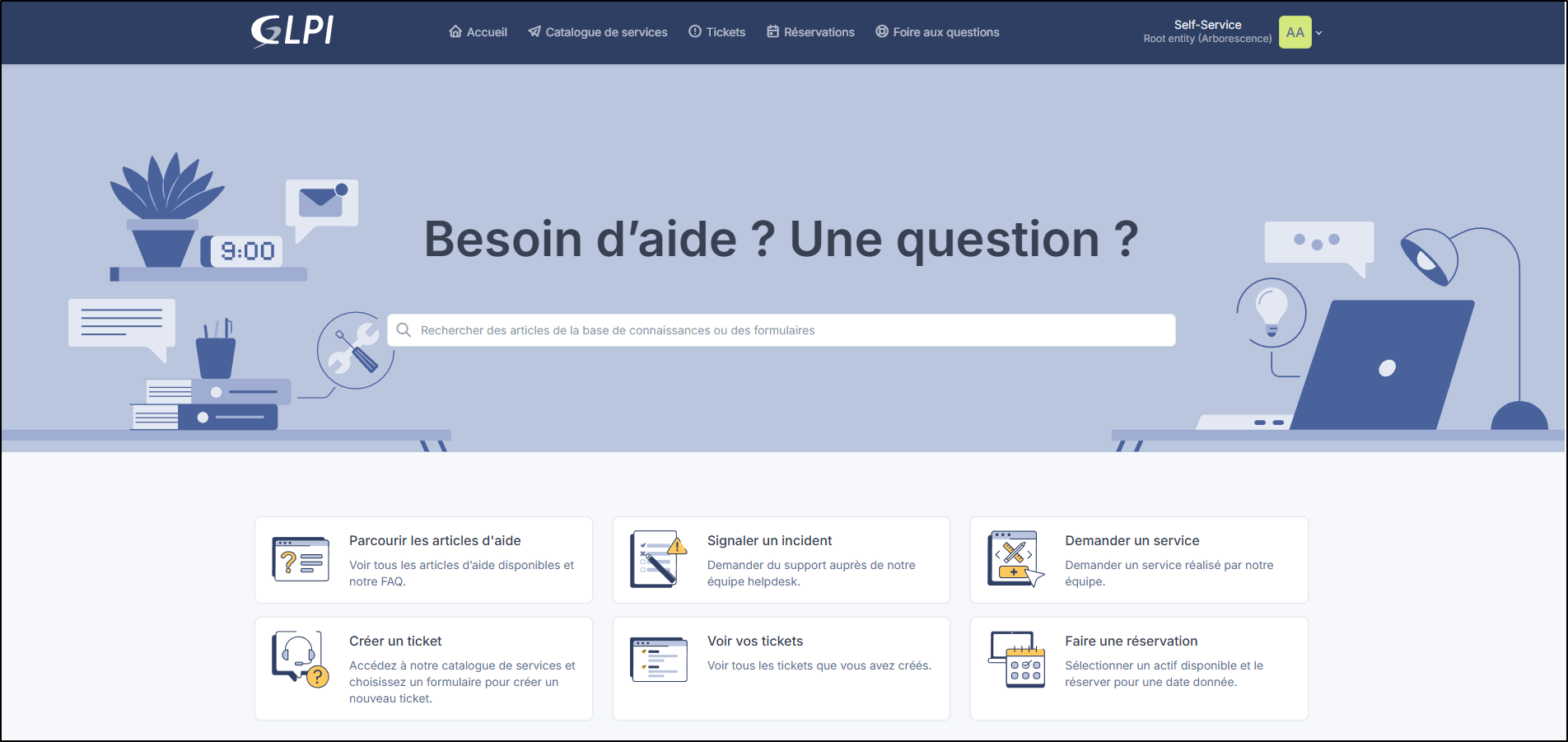
Le portail Helpdesk est l'accueil pour les utilisateurs disposant du profil self-service. Il simplifie les échanges et centralise l'ensemble des démarches informatiques et logistiques.
#### À quoi sert ce portail ?
Depuis cet espace self-service, vous pouvez en quelques clics :
* **Déclarer un incident** : Signaler un problème technique (panne d'ordinateur, problème d'impression, bug applicatif) et suivre l'avancée de sa résolution en temps réel.
* **Faire une demande de service** : Commander du matériel, demander l'accès à un logiciel ou solliciter une intervention.
* **Consulter la Base de Connaissances** : Accéder à des fiches pratiques, tutoriels et réponses aux questions fréquentes pour résoudre des blocages en toute autonomie.
* **Réserver des ressources** : Réserver du matériel de prêt (véhicules, projecteurs, ordinateurs portables) selon les besoins.
Vous pouvez personnaliser cet espace à votre guise afin qu'il corresponde à vos besoins et ainsi améliorer l'expérience de vos utilisateurs.
Personnaliser le portail Helpdesk
---
# Agent Instructions
This documentation is published with GitBook. GitBook is the documentation platform designed so that both humans and AI agents can read, navigate, and reason over technical content effectively. Learn more at gitbook.com.
## Querying This Documentation
If you need additional information that is not directly available in this page, you can query the documentation dynamically by asking a question.
Perform an HTTP GET request on the current page URL with the `ask` query parameter, and the optional `goal` query parameter:
```
GET https://help.glpi-project.org/glpi-12/fr/welcome-to-glpi-12/helpdesk-portal.md?ask=&goal=
```
`ask` is the immediate question: it should be specific, self-contained, and written in natural language.
`goal` is optional and describes the broader end goal you are ultimately trying to accomplish on behalf of the user. GitBook uses it to tailor the answer towards what is most useful for that goal.
The response will contain a direct answer to the question and relevant excerpts and sources from the documentation.
Use this mechanism when the answer is not explicitly present in the current page, you need clarification or additional context, or you want to retrieve related documentation sections.