

Appliances
The Appliances in GLPI refer to the software and applications managed within the GLPI tool. This includes all software solutions installed on users' machines, servers and other devices within the organisation. Applications can include office applications, business software, operating systems, utilities, etc.
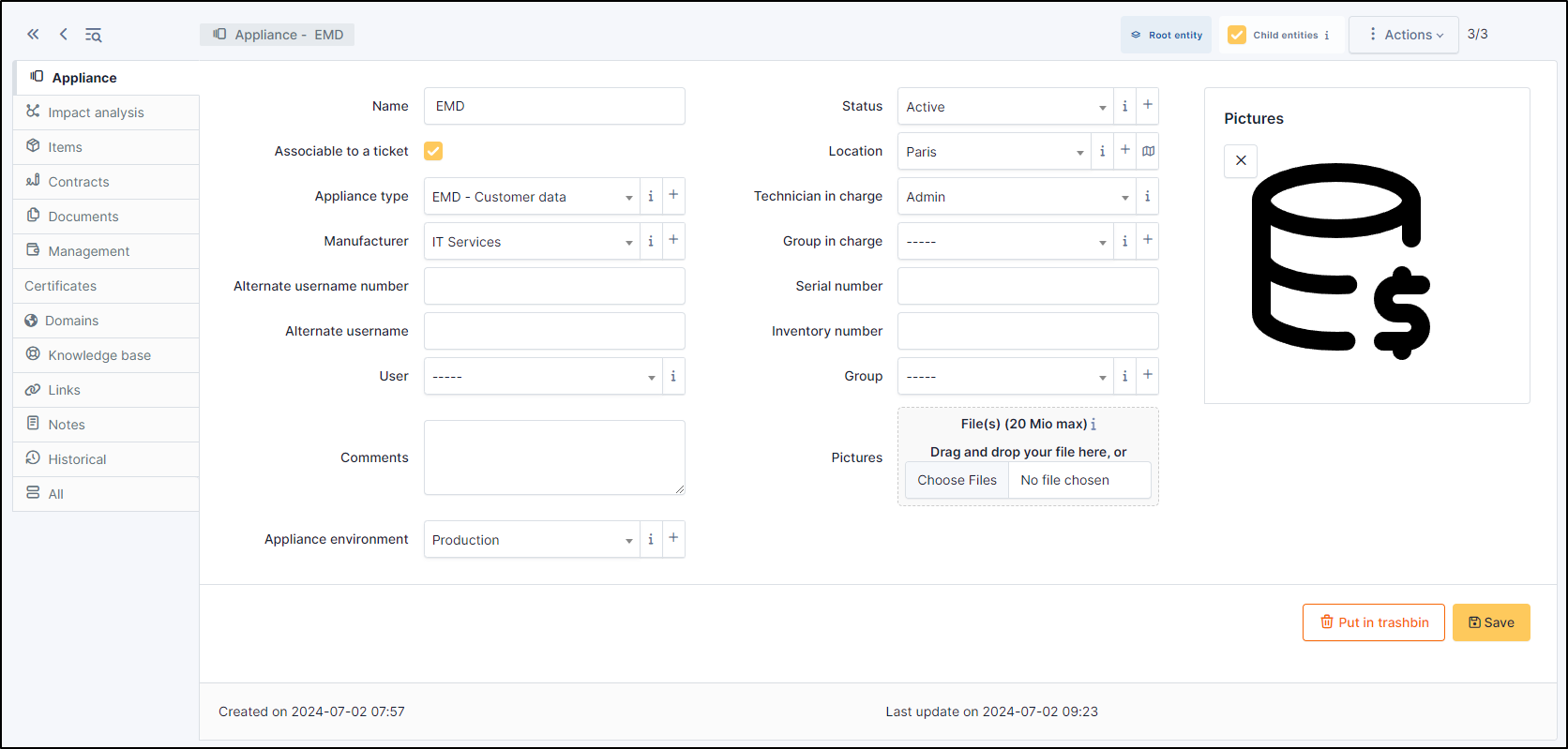
The basics fields
Name
Appliance environment: the application environment indicates whether the application is in production, acceptance, pre-production, etc. This field can, of course, be adapted to your needs.
Images: you can add an image for your appliance.
Appliance type
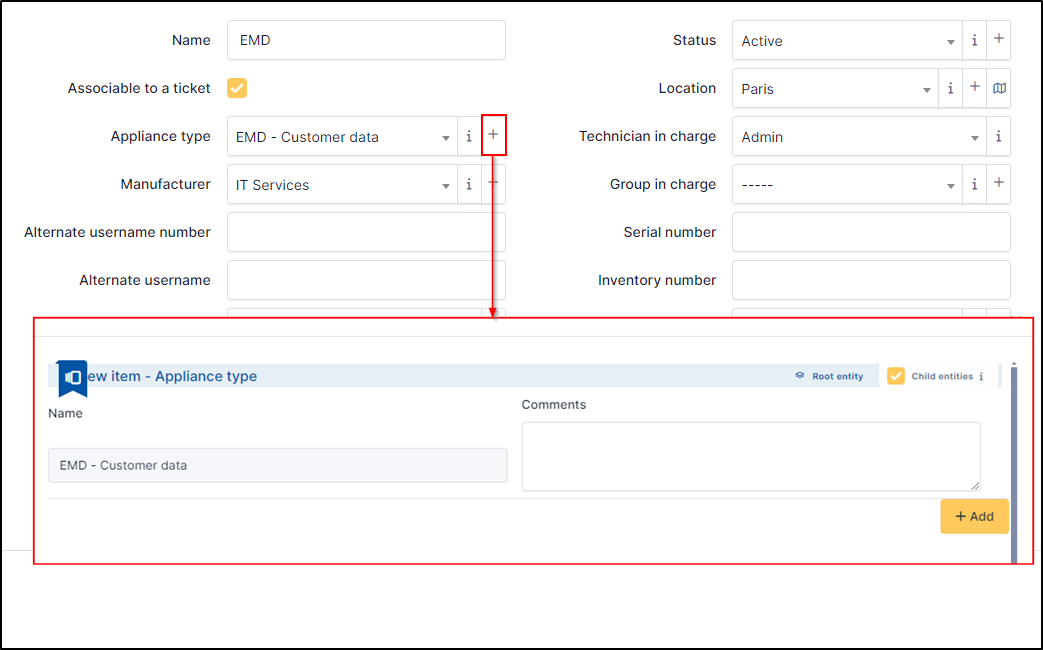
The appliance type is used to define the appliance context (VOIP, EDM, etc.). You can select the type of application from the drop-down list, or add a new one directly by clicking on the +.
Impact Analysis
Impact analysis enables an infrastructure diagram to be drawn up, showing the dependencies and impacts in the event of equipment loss. This can be saved and exported
Items
This tab displays the GLPI items linked to this budget, as well as their value.
Contracts
GLPI supports contracts management, in order to manage contract types such as loan, maintenance, support...
Contracts management allows to:
make an inventory of all contracts related to the organization assets
integrate contracts in GLPI financial management
anticipate and follow contract renewal.
Documents
The document tab lets you link different types of file to a material (PDF, txt, png, etc.) You can attach a document already uploaded to GLPI or add a new one directly from this tab.
Documents
The document tab lets you link different types of file to a material (PDF, txt, png, etc.) You can attach a document already uploaded to GLPI or add a new one directly from this tab.
Management
Management of financial and administrative information, this information is visible in the 'Management' tab on the computer's form.
Certificates
Link a certificate to your registration. You can manage certificates in Management > Certificates
Domains
You can attach Domains to your computer. Domains are also linked to other objects such as records, problems, etc.
Knowledge Base
Lists all the articles in the knowledge base relating to the material.
Projects
This tab lists all the projects linked to the software. Here you can only add a project that already exists.
Links
Links offer several possibilities. Send the GLPI object file to another URL of your choice, or generate an RDP file, for example.
Notes
Note lets you add enriched text and attach a document.
History
The History tab is used to show any changes made to an item. The following information about the changes is available:
ID of the change.
Date and time the change was made.
User who made the change. If this field is not filled, it means that the action was done automatically (For example: automatic inventory update).
Field that was changed.
Description of the change that was made.
The description of the change represents either the difference between the old and the new value (For example with location field: Change HQ to Remote Office A), or the explanation of the action which was carried out (For example: Uninstallation of a software: "Gimp 2.0").
All Information
For an item, all information is displayed on one page from the All tab. This shows all of the tabs of an object's form in one view, one below the other.
Last updated