> For the complete documentation index, see [llms.txt](https://help.glpi-project.org/llms.txt). Markdown versions of documentation pages are available by appending `.md` to page URLs; this page is available as [Markdown](https://help.glpi-project.org/glpi-12/tools/reminders.md).
# Reminders
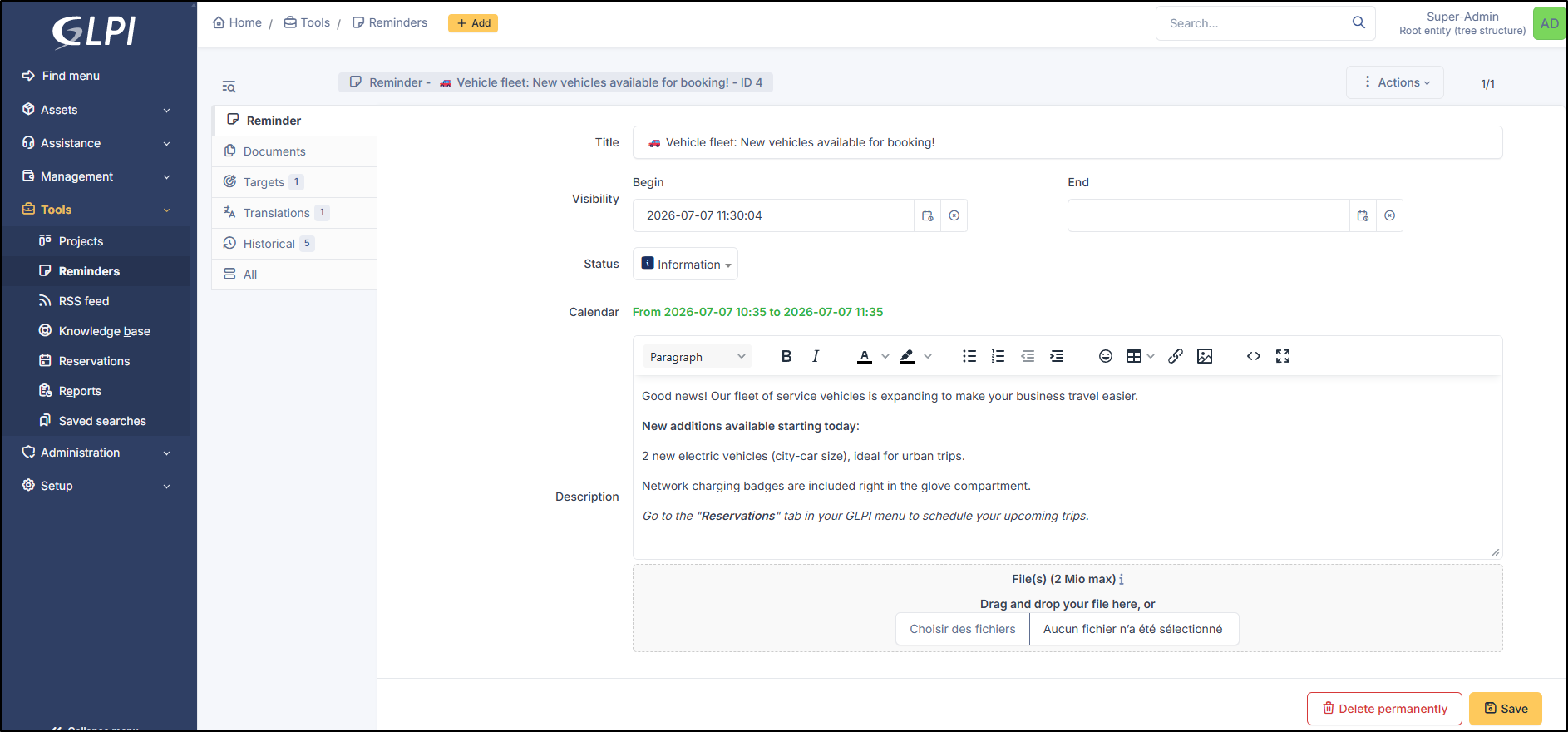
A reminder in GLPI is a simple text with attached files; it allows information to be conveyed to other users of the platform.
A reminder is characterized by:
* a lifespan;
* a status;
* the possibility of appearing in the schedule;
* its targets.
Global view
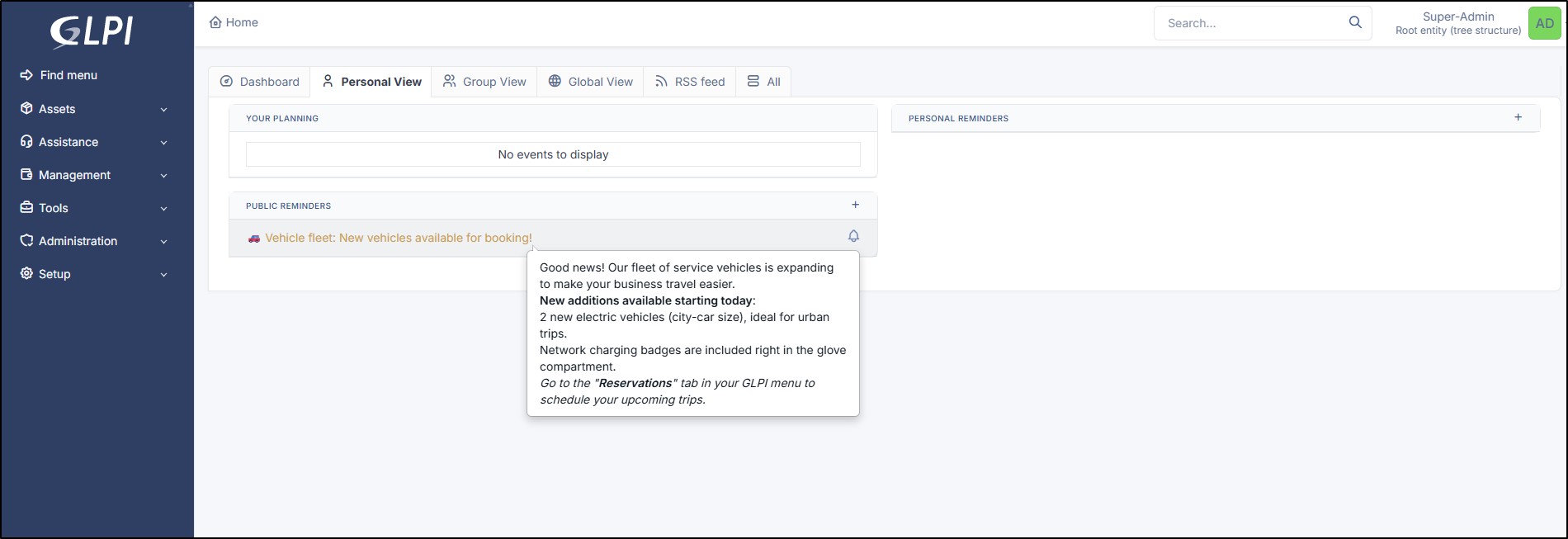
Created reminders will then appear on the GLPI homepage
Personnal view
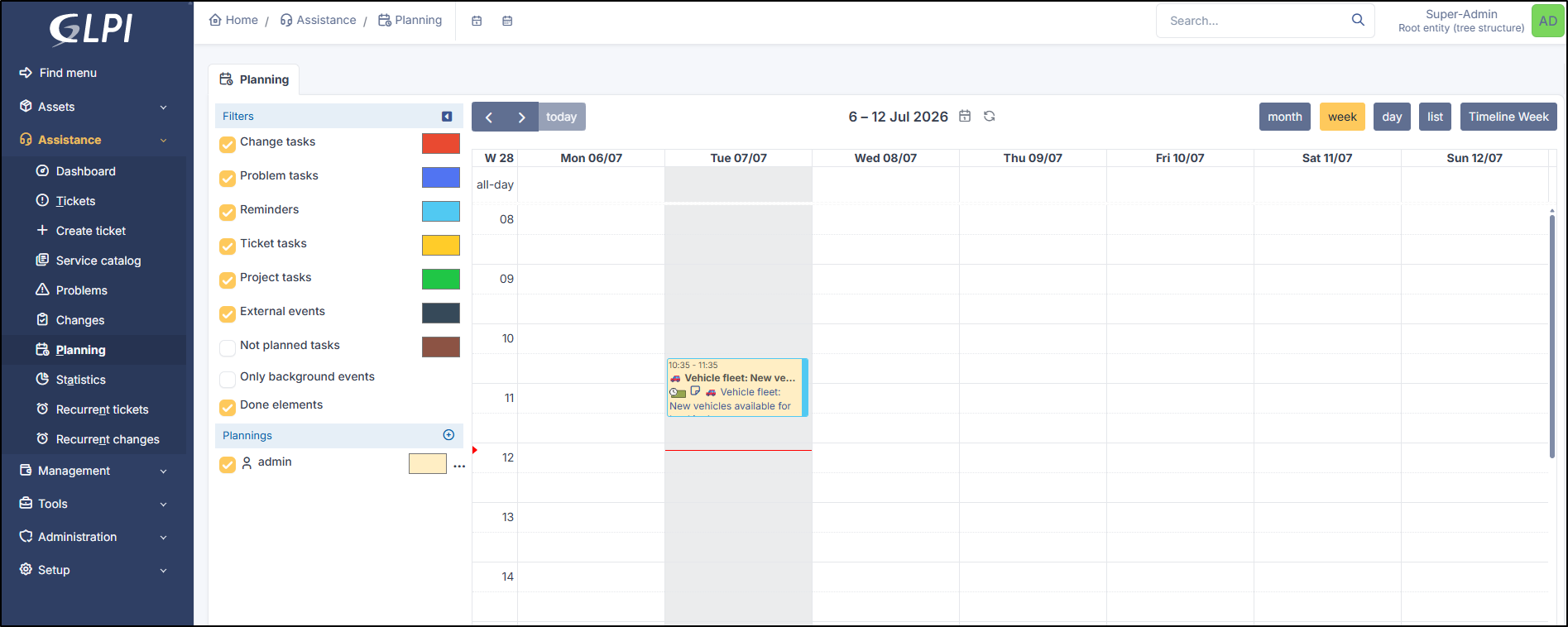
and in the schedule of targeted users if a date in the calendar has been selected.
Planning view
{% hint style="info" %}
It is possible to add a start date and an end date for each reminder. If no start date is given, the reminder will be visible immediately until its end date. If no end date is given, the reminder will be permanently visible from its start date.
Adding a reminder to the schedule makes it visible to the reminder's targeted users: the owner for a personal reminder, all users' schedules for a public reminder. A scheduled reminder is not deleted after its end date.
{% endhint %}
***
## Documents
Additional information is stored as external documents, which are files uploaded to GLPI. In the *Documents* tab, documents can be associated with and dissociated from the selected item. The [management of documents](/glpi-12/management/documents.md) themselves is covered in another chapter.
It is also possible to quickly create a document via this tab by specifying the desired file and optionally the field in which the new document should be placed. The name of the created document will be based on the name of the added file.
{% hint style="info" %}
When you delete a document from this tab via mass actions, you only delete the link between the object and the document; the document itself is still present.
{% endhint %}
***
## Target
A reminder is personal by default and therefore visible only to its author.
For a reminder to be visible to other users (public reminder), it is necessary to add targets to this reminder. Possible targets are the entity, the profile, the group, or users.
A public reminder is visible to users associated with a profile if that profile has read permission for public reminders.
List of target
***
## Translations
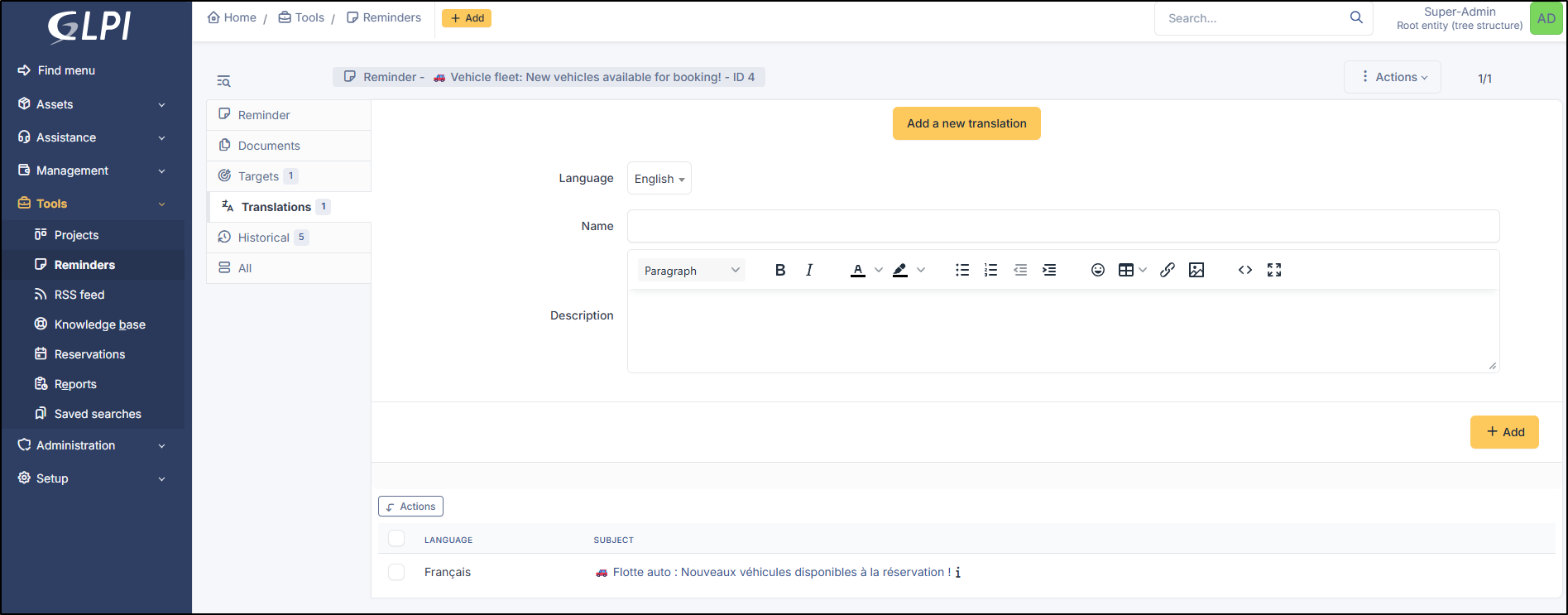
You can translate your reminders into several languages. If no language is available in the user's language, the reminder will be displayed in the language in which it was created.
Add a translation
***
## History
The *History* tab is used to display all changes made to an item. The following information about changes is available:
* Change ID.
* Date and time of the change.
* User who made the change. If this field is not populated, it means the action was performed automatically (e.g., automatic inventory update).
* Field that was changed.
* Description of the change that was made.
The description of the change represents either the difference between the old and new value (e.g., for the location field: Change from HQ to Remote Office A), or the explanation of the action that was performed (e.g., Software uninstallation: "Gimp 2.0").
{% hint style="info" %}
For dropdown lists or objects with a parent/child relationship, a change to a child will appear in the parent item's history.
{% endhint %}
***
## All
For an item, all information is displayed on a single page from the *All* tab. This shows all the tabs of an object's form in a single view, one below the other.
---
# Agent Instructions
This documentation is published with GitBook. GitBook is the documentation platform designed so that both humans and AI agents can read, navigate, and reason over technical content effectively. Learn more at gitbook.com.
## Querying This Documentation
If you need additional information that is not directly available in this page, you can query the documentation dynamically by asking a question.
Perform an HTTP GET request on the current page URL with the `ask` query parameter, and the optional `goal` query parameter:
```
GET https://help.glpi-project.org/glpi-12/tools/reminders.md?ask=&goal=
```
`ask` is the immediate question: it should be specific, self-contained, and written in natural language.
`goal` is optional and describes the broader end goal you are ultimately trying to accomplish on behalf of the user. GitBook uses it to tailor the answer towards what is most useful for that goal.
The response will contain a direct answer to the question and relevant excerpts and sources from the documentation.
Use this mechanism when the answer is not explicitly present in the current page, you need clarification or additional context, or you want to retrieve related documentation sections.
.png?alt=media)